Most people shop online because of better discounts and deals. Sellers also provide them with deals according to their shopping behaviors or needs.
I faced the following challenge while working with one of my clients (seller) who wanted to deliver a personalized discount to an individual customer via a coupon code on the checkout page.
The client’s requirement was ‘to apply a coupon code directly on the checkout page’ but this is not a default feature of Shopify and I was not able to apply it. Therefore, to solve the issue, I followed the below-mentioned process:
1. First of all, create a coupon code for all the orders or a specific order and then check the variant id of the product under consideration for a discount. It can be checked in the products section of the admin panel. Open the details of the product and click Ctrl+u to view the variant id in XML.
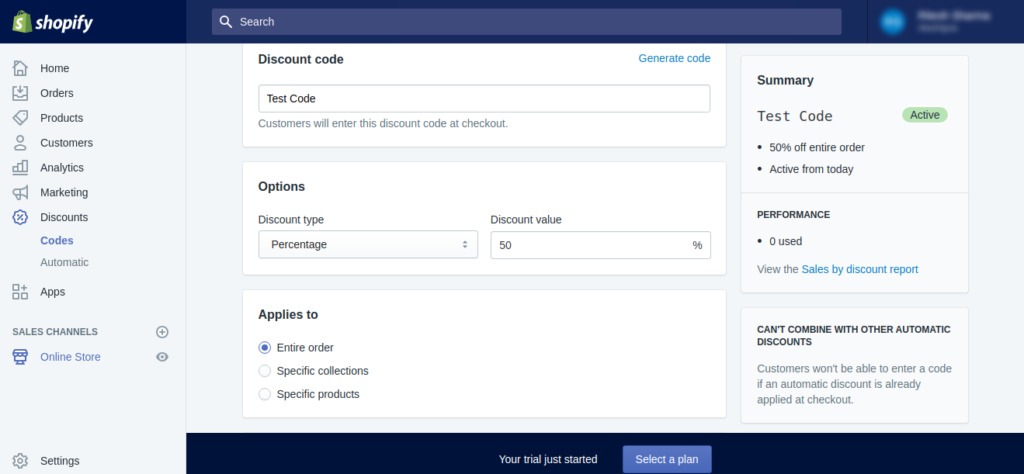
2. After the variant id is found from the XML code, create the URL as follows, where a discount has to be applied.
https://example.com/cart/{variantid}:{quantity}?discount=discountcode
The URL for a test coupon “test code” will be something like this:
https://example.com/cart/5588446644235:1?discount=test%20code
3. This URL will redirect to the checkout page directly for a specific variant of a product or a specific product if a single variant is present.
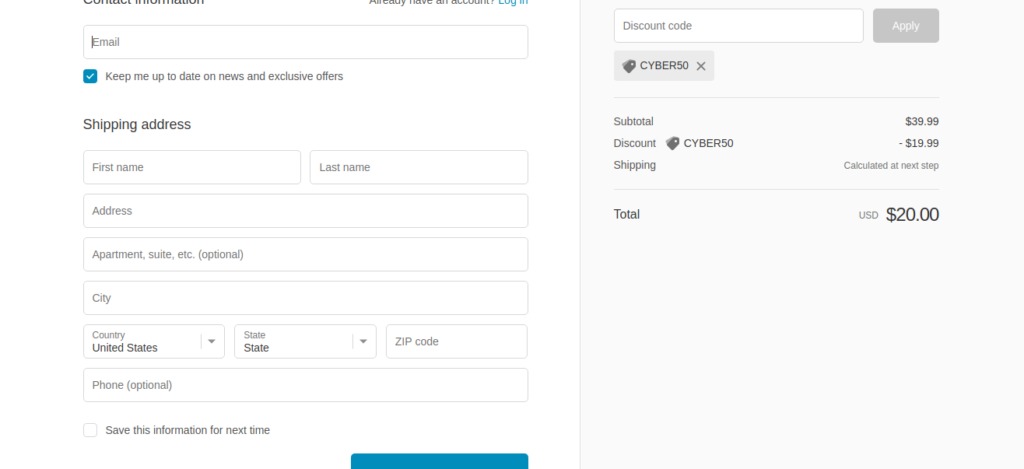
In this way, a coupon code can be applied directly on the checkout page.
Share it with your friends/co-workers if you find the article interesting!
Cheers!!!
If you enjoyed this, you might also enjoy these post