Your product images are one of the first things customers notice when they visit your Shopify store. Before reading the full product description, shoppers often look at photos to understand the product, its design, size, color, and quality. A well-organized gallery can make this experience much better.
A Shopify Product Gallery App can help store owners display product images and videos in a clean and attractive way. Instead of showing a few basic images, you can create galleries, sliders, carousels, lookbooks, and other visual sections that make products easier to explore.
In this guide, we will cover 8 simple ways a Shopify Product Gallery App can help you showcase products and create a better shopping experience in 2026.
Table of Contents
Why Product Galleries Matter for Shopify Stores
Online customers cannot physically touch or inspect your products. This means your images and videos need to do more work. Clear visuals can help shoppers understand what they are buying and decide whether a product is right for them.
A Shopify Product Gallery App gives merchants more options for presenting visual content without depending only on the default Shopify product page layout.
For stores that sell fashion, furniture, home decor, beauty products, accessories, or lifestyle products, a strong visual presentation can make the store easier and more enjoyable to browse.
8 Powerful Ways to Showcase Products
1. Display Products With High-Quality Images
High-quality images should be the starting point of every product gallery. Customers want to see the product from different angles before making a purchase.
You can show the front, back, side, close-up, and other important details of a product. Multiple images can answer customer questions without making them search for more information.
A Shopify Product Gallery App can help you place these images into a clean gallery so customers can move through them easily.
2. Add Product Videos
Sometimes an image is not enough to explain a product. A short video can show how a product looks in use, how it moves, or how it fits into a real environment.
For example, a furniture store can show a sofa inside a room, while a fashion store can show how clothing looks when worn.
Using a Shopify Product Gallery App that supports both images and videos can give customers more information before they buy.
3. Create Attractive Lookbooks
Lookbooks are a great way to show products in real-life situations. They can be especially useful for fashion, furniture, home decor, jewelry, and lifestyle brands.
Instead of showing each product separately, you can create a complete visual story. Customers can see how different products work together and then explore the items they like.
A Shopify Product Gallery App can help you create lookbook-style sections that make your store feel more visual and engaging.
4. Use Carousel and Slider Layouts
Customers do not always want to scroll through a long list of images. A carousel or slider can make it easier to view several images in a small space.
These layouts are useful for product pages, homepage sections, collection pages, and landing pages.
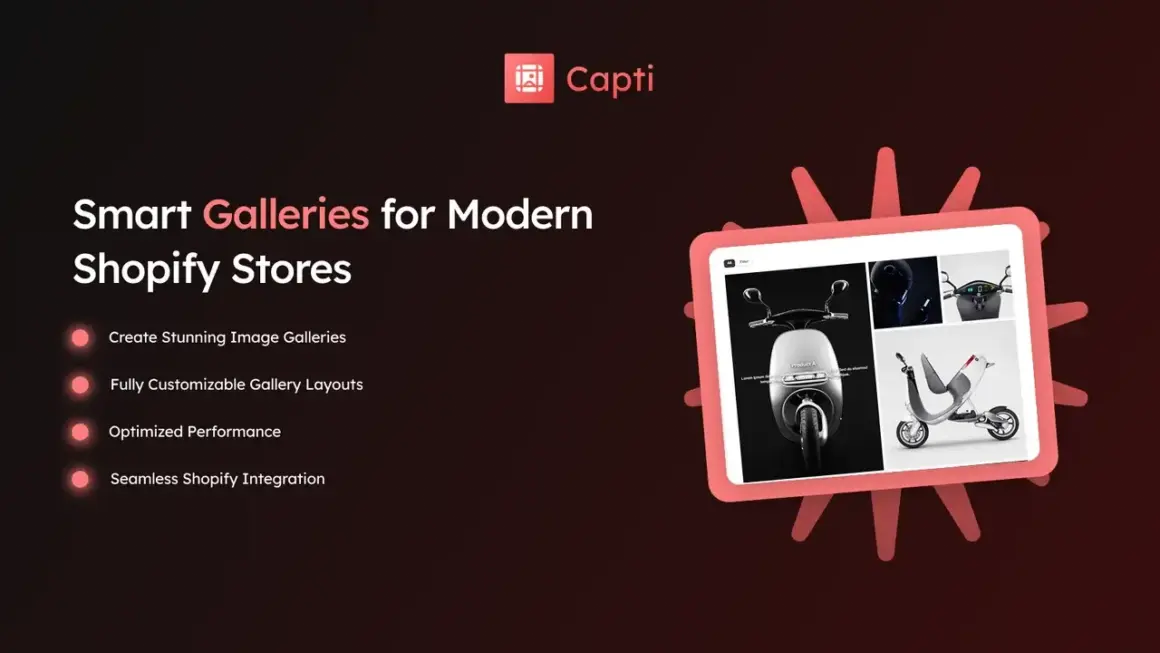
Capti Gallery Image & Video supports different gallery layouts, including carousel, slider, grid, masonry, and other visual formats. You can explore Capti Gallery Image & Video on the Shopify App Store to check its current features.
A Shopify Product Gallery App with multiple layout options gives you more flexibility when designing your store.
5. Make Images Shoppable
Images can do more than simply show products. You can use visual content to help customers discover the products shown inside an image.
For example, a home decor store can show a complete room with a sofa, table, lamp, and rug. Customers can then explore the products featured in the visual.
Shoppable images can connect inspiration with product discovery and make the shopping journey more natural.
A Shopify Product Gallery App can help merchants create this type of visual shopping experience.
6. Showcase Products in Real-Life Settings
Customers often understand products better when they see them in a real situation. A product image on a plain background is useful, but lifestyle images can show how the product fits into everyday life.
A furniture store can show a chair inside a living room. A clothing store can show an outfit on a person. A beauty brand can show a product being used.
These visuals can help customers imagine using the product themselves.
With a Shopify Product Gallery App, merchants can create dedicated galleries for lifestyle images and make product presentation more useful.
7. Improve Mobile Product Browsing
Many Shopify customers browse stores on smartphones. Your product gallery should therefore look good and work smoothly on smaller screens.
Images should load properly, buttons should be easy to tap, and customers should be able to move between images without confusion.
Capti Gallery Image & Video is designed to support responsive gallery experiences across different screen sizes. This can be useful for merchants who want their visual content to work across desktop, tablet, and mobile.
A mobile-friendly Shopify Product Gallery App can help you provide a more consistent shopping experience across devices.
8. Make Product Pages More Engaging
A product page with only one or two images can feel basic. Adding useful visual content can make the page more engaging without adding unnecessary text.
You can use different images, videos, lifestyle photos, close-ups, and product demonstrations to tell customers more about the item.
The goal is not to add as many images as possible. The goal is to use the right visuals to answer customer questions.
A Shopify Product Gallery App can give you more control over how this content is displayed.
Capti Gallery Image & Video
Capti Gallery Image & Video is a Shopify app from Xuuro that focuses on creating image and video galleries. It can be used for visual sections such as galleries, lookbooks, carousels, sliders, and other product-focused layouts.
The app also supports shoppable visual experiences through product tagging and hotspots, which can help connect images with products.
You can also visit the Xuuro Shopify Apps collection to explore other apps from the same developer.
Which Stores Can Benefit From Product Galleries?
A Shopify Product Gallery App can be useful for many types of ecommerce stores.
- Fashion stores
- Furniture stores
- Home decor stores
- Jewelry stores
- Beauty stores
- Footwear stores
- Accessory stores
- Art and design stores
- Lifestyle brands
If your products depend heavily on visuals, a better gallery can be a useful addition to your Shopify store.
Tips for Creating Better Product Galleries
Installing an app is only one part of creating a good visual experience. The content you add to your gallery is just as important.
- Use clear and high-quality images.
- Show products from multiple angles.
- Use lifestyle photos when possible.
- Add videos when they provide useful information.
- Keep image sizes consistent.
- Use clear product names.
- Check every gallery on mobile devices.
- Avoid adding unnecessary visual elements.
These simple practices can help you get more value from your Shopify Product Gallery App and make your product presentation easier to understand.
Product Gallery and Customer Trust
Customers want to know what they are buying before spending money. Detailed images and videos can help reduce uncertainty by showing the product from different angles.
Good visuals should always match the actual product. Avoid using misleading images or editing photos so heavily that the product looks different in real life.
A trustworthy visual presentation can support a better customer experience and help shoppers make more informed decisions.
How to Choose the Right Gallery App
Before choosing a Shopify Product Gallery App, think about what your store actually needs.
- Do you need image galleries?
- Do you want to add product videos?
- Do you need lookbook layouts?
- Do you want shoppable images?
- Do you need carousel or slider layouts?
- Does the gallery need to work well on mobile?
- Do you want a no-code setup?
Choosing an app based on your real requirements can help you avoid unnecessary features and keep your store simple.
More Shopify Resources
If you want simple guides about Shopify apps, themes, ecommerce, and store growth, visit ShopifyLearner.
Learning about different Shopify tools can help you choose features that match your products and customer needs.
Frequently Asked Questions
What is a Shopify Product Gallery App?
It is a Shopify app that helps merchants create and customize image or video galleries to showcase products in a more attractive and useful way.
Can a product gallery include videos?
Yes. Gallery apps such as Capti Gallery Image & Video can support both images and videos, allowing merchants to create richer product presentations.
Can I create a product lookbook?
Yes. Some gallery apps support lookbook layouts that let merchants present products together in lifestyle or collection-based visuals.
Are product galleries useful on mobile?
Yes. A responsive gallery can help mobile shoppers view product images and videos more comfortably. Always test your gallery on different devices before publishing it.
Can product galleries be shoppable?
Yes. Some gallery tools support product tagging or hotspots, allowing customers to discover products directly from visual content.
Conclusion
A Shopify Product Gallery App can help turn basic product images into a stronger visual shopping experience. With the right gallery, you can show products from different angles, add videos, create lookbooks, use carousels, make images shoppable, and improve mobile browsing.
The eight main ways to showcase products are using high-quality images, adding videos, creating lookbooks, using sliders and carousels, making images shoppable, showing products in real-life settings, improving mobile browsing, and creating more engaging product pages.
Capti Gallery Image & Video is one option for Shopify merchants who want more control over image and video galleries. Its visual features can help stores present products in different layouts and create a more interactive shopping experience.
If your store depends on product visuals, improving your gallery can be a simple way to make products easier to understand and discover. Focus on useful images, clear layouts, mobile-friendly design, and content that helps customers make better buying decisions.