Giving product samples can be a simple way to help Shopify customers feel more confident before buying. When shoppers cannot touch, smell, taste, or test a product online, they may have doubts about quality, color, texture, or performance. A sample gives them a chance to experience the product before making a bigger purchase.
If you are learning How to Give Product Samples on Shopify, you do not need a complicated setup. You can start with selected products, clear sample rules, and a simple customer journey.
In this guide, we will cover 9 simple ways to get started and make product samples useful for your Shopify store.
Table of Contents
Why Give Product Samples?
Customers often want more information before buying products that are difficult to judge from photos alone. This is common with beauty products, fragrances, fabrics, flooring, tiles, paint, food, and home decor materials.
A sample can reduce uncertainty and help shoppers understand what they are buying.
Learning How to Give Product Samples on Shopify can also help you create a better shopping experience because customers get another way to explore your products before committing to a full-size purchase.
9 Simple Ways to Get Started
1. Choose the Right Products
Start by selecting products where a sample can genuinely help customers. You do not have to provide samples for every product in your store.
For example, a fabric store can offer small fabric pieces, while a beauty store can provide small product samples. A flooring store can offer material samples so customers can check color and texture at home.
The first step in How to Give Product Samples on Shopify is choosing products where customers are likely to benefit from trying them first.
2. Decide What the Sample Will Look Like
The sample format depends on your product. It could be a small piece, a smaller quantity, a tester, or another suitable version.
Make sure the sample gives customers useful information about the actual product. For example, a fabric sample should show the real material, while a fragrance sample should represent the actual scent.
When planning How to Give Product Samples on Shopify, focus on creating samples that provide real value instead of simply making them as small as possible.
3. Choose Free or Paid Samples
You can offer samples for free or charge a small amount. The right choice depends on your product cost, packaging, shipping, and business goals.
Free samples can make the offer more attractive, while paid samples can help cover some of your costs.
Whatever option you choose, make the price and conditions clear before the customer orders.
4. Add a Clear Sample Option
Customers should be able to find the sample option easily. Add a clear message near the product information or buying area.
Simple wording such as “Get a Sample,” “Try a Sample,” or “Order a Sample” can work well.
Explain what the customer will receive, including sample size, available choices, price, and any limits.
This is an important part of How to Give Product Samples on Shopify because customers need to understand the offer before they use it.
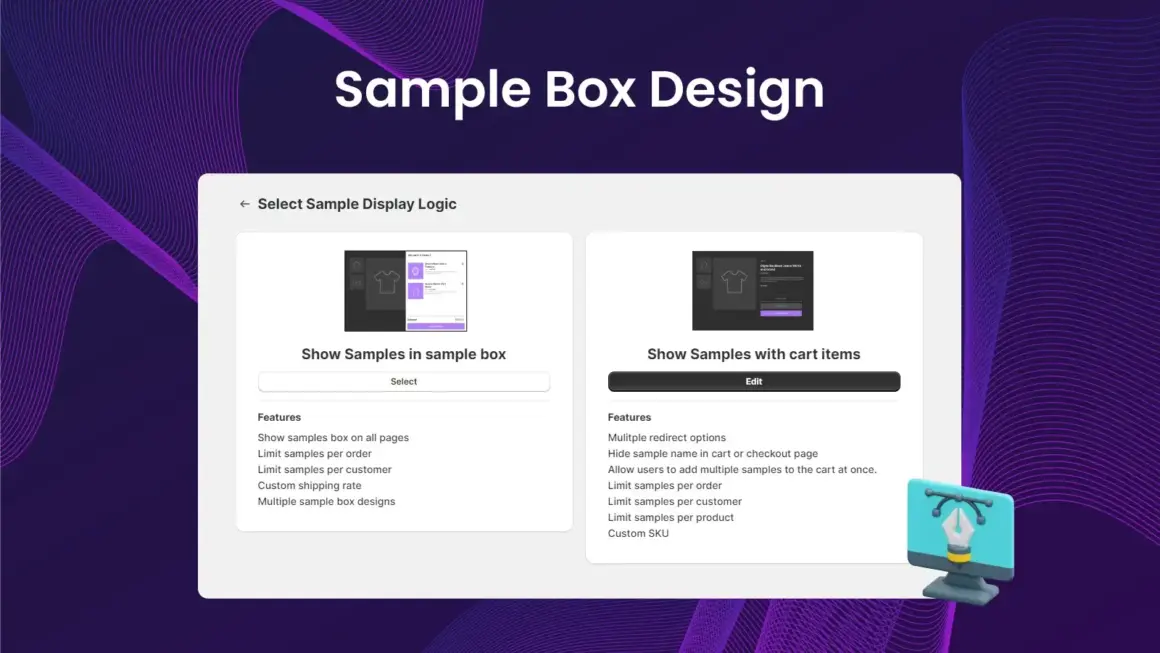
5. Use a Shopify Product Sample App
Managing samples manually can become difficult when your store has many products. A dedicated app can help simplify the process.
Mini – Product Samples by Xuuro is designed to help Shopify merchants offer product samples. It can help with sample options and sample management, making it easier to create a sample experience for customers.
You can explore Mini – Product Samples on the Shopify App Store and check its current features and pricing.
Using a suitable app can make How to Give Product Samples on Shopify easier because you can manage the sample process without building everything manually.
6. Set Sample Limits
If you offer free or low-cost samples, it is important to control how many samples customers can order.
You can set limits per customer, product, or order depending on your business needs. This can help reduce unnecessary sample costs and prevent very large sample orders.
Start with a simple limit and adjust it after you see how customers use the sample option.
7. Make the Full Product Easy to Find
The sample should help customers move toward the full product. Once they receive and try the sample, make it easy for them to find the product they tested.
You can include the product name, a product link, a QR code, or a simple instruction inside the sample package.
This turns the sample into part of the sales journey instead of making it a separate activity.
A strong How to Give Product Samples on Shopify strategy should always make the next step clear for the customer.
8. Use Good Sample Packaging
Even a small sample can create a strong impression of your brand. Use clean and suitable packaging that protects the sample during shipping.
Add your brand name and basic product information when useful. Keep the packaging practical and avoid spending too much on it.
A professional sample package can make customers feel that your business takes product quality and customer service seriously.
9. Track Sample Results
After launching your sample program, check how customers are using it.
Look at which products receive the most sample requests and whether customers later buy the full-size version. Customer feedback can also show whether the sample helped them make a decision.
Tracking these results can help you improve your sample strategy and focus on products where samples provide the most value.
Which Shopify Stores Can Give Samples?
Many Shopify stores can use product samples when customers need to experience a product before buying.
- Beauty and skincare stores
- Perfume and fragrance stores
- Fabric and textile stores
- Tile and flooring stores
- Paint stores
- Food and beverage stores
- Home decor stores
- Pet product stores
The best products for samples are usually products where customers have questions about physical qualities that images cannot fully show.
How to Control Sample Costs
Giving samples can create extra costs for your store. You may need to pay for the sample product, packaging, shipping, and fulfillment.
You can control these costs by starting with selected products and setting reasonable limits.
- Choose products with strong sample value.
- Keep sample sizes useful but small.
- Set limits for sample orders.
- Use practical packaging.
- Track sample-to-purchase results.
- Remove samples that do not provide enough value.
This approach can help you offer samples without allowing the cost to grow too quickly.
Build Customer Trust With Samples
Customers want to know that the sample represents the actual product. Make sure the sample is an honest representation of the full-size item.
Clearly explain what the customer will receive. If the sample only shows color or material, say so. If it is a smaller quantity, show the sample size clearly.
Clear communication can prevent confusion and create a better customer experience.
When using How to Give Product Samples on Shopify as a strategy, customer trust should always be a priority.
Connect Samples With Your Main Products
A sample should not be the end of the customer journey. Help customers discover the complete product after they receive the sample.
You can add a product card to the package or include a simple message telling customers where to find the full-size product.
If your product has different sizes, colors, or variations, explain how customers can choose the right option.
This simple step can make your sample program more useful and easier for customers to follow.
Keep the Sample Process Simple
The best sample experience is usually easy to understand.
- Use clear sample names.
- Show sample pricing clearly.
- Explain sample sizes.
- Keep choices simple.
- Show sample limits when needed.
- Make the full-size product easy to find.
A simple process makes How to Give Product Samples on Shopify easier for both customers and store owners.
Explore More Shopify Resources
If you want simple guides about Shopify apps, ecommerce, store growth, and useful Shopify tools, visit ShopifyLearner.
You can also explore the Xuuro Shopify Apps collection to discover other tools for Shopify merchants.
Frequently Asked Questions
Can I give free samples on Shopify?
Yes. You can offer free samples, although you should consider product, packaging, shipping, and fulfillment costs before setting up the offer.
Do I need an app to give product samples?
You can create some sample options manually, but a dedicated app can make sample management easier, especially when you need limits and sample controls.
How many samples should I allow?
There is no fixed number. Set a limit based on your product costs, shipping expenses, and fulfillment capacity.
Can product samples help increase sales?
Samples can reduce customer hesitation and help shoppers understand a product before buying. Results will depend on the product, sample quality, pricing, and overall customer experience.
What products are best for samples?
Products such as beauty items, fragrances, fabrics, tiles, flooring, paint, food, and home decor materials can be good choices because customers may want to experience them before buying.
Conclusion
Learning How to Give Product Samples on Shopify can help you create a simple way for customers to experience your products before making a larger purchase.
The 9 simple ways are choosing the right products, deciding the sample format, choosing free or paid samples, adding a clear sample option, using a Shopify sample app, setting limits, connecting samples with full products, using good packaging, and tracking results.
Mini – Product Samples from Xuuro is one option Shopify merchants can explore for managing product samples. Check the current Shopify App Store listing for the latest features and pricing before installing.
Start with a few products, keep your sample process clear, and focus on helping customers make better buying decisions. With the right approach, product samples can become a useful part of your Shopify store and help build customer confidence.